
AI Agents Doing Real Work: Business Automation, Travel Planning, and Video Creation
October 19, 2026
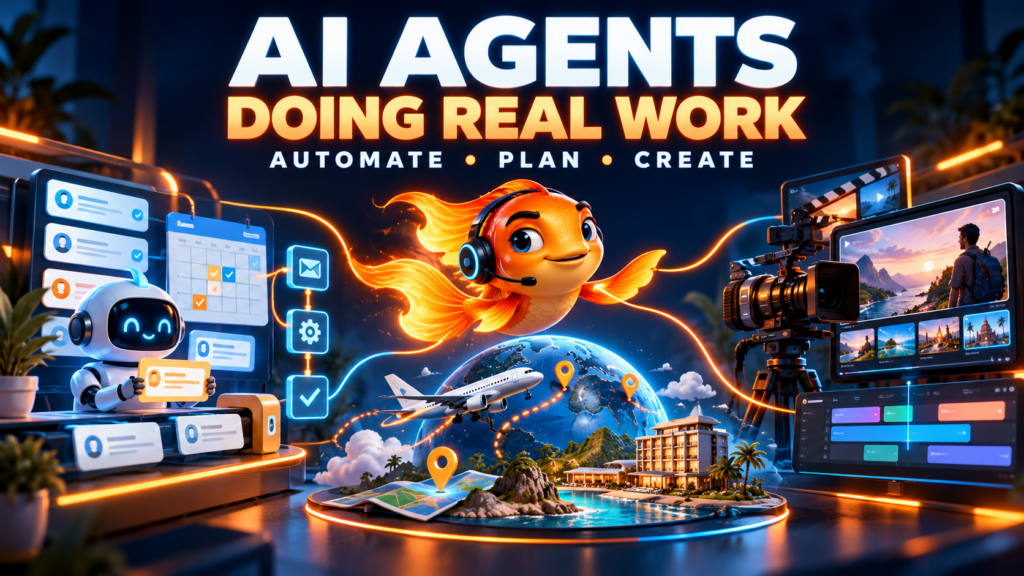
AI Agents Doing Real Work: Business Automation, Travel Planning, and Video Creation
Three video demonstrations show where AI agents can save time—and what it takes to turn an impressive demo into a dependable workflow.
A customer sends a question after business hours. A work trip needs flights, a hotel, and a budget. A short video needs characters, scenes, narration, and an edit.
These jobs have something in common: the difficulty comes from coordinating a series of steps. Information lives in different places. Decisions depend on earlier decisions. Someone has to move the work forward, check the results, and handle whatever goes wrong.
That is where AI agents become interesting.
An agent can combine reasoning with access to tools, giving it a way to research, organize information, operate software, and produce a deliverable. The promise is straightforward: describe an outcome, provide the necessary access and constraints, and let the system handle some of the work.
The reality deserves a closer look.
Three videos explore that promise from different directions: Zapier agents for small businesses, a comparison of four personal assistants planning the same trip, and a Claude Code workflow that coordinates video production through Google Flow.
Together, they offer a practical way to evaluate agents: Can the system complete a useful job, within clear boundaries, with less effort than doing it yourself?
1. Business Automation: Give an Agent a Job You Can Define
A small business can lose hours to work that is necessary but repetitive: sorting inquiries, copying information into customer records, preparing follow-ups, and figuring out what deserves attention first.
These tasks are promising starting points because they already have recognizable inputs and outcomes.
Anik Singal’s video, “5 Must Have AI Agents for SMALL BUSINESSES (Zapier Automations),” introduces business use cases for agents built around Zapier. It provides a starting point for thinking about where connected applications and AI judgment can work together.
Watch: 5 Must Have AI Agents for SMALL BUSINESSES
Where an agent adds value
A conventional automation works well when the steps are predictable.
For example, a new form submission can trigger a notification and create a contact record. There is no need for a language model to decide whether those steps should happen.
An agent becomes more useful when the information needs interpretation.
An inquiry might read:
“We need help following up with leads from our website. There are three of us, and things keep slipping through the cracks.”
Someone needs to understand the request, recognize missing information, and decide what happens next.
A well-scoped agent could classify the inquiry, summarize the problem, identify relevant services, and prepare a response for review.
Use fixed rules for predictable actions. Use AI where interpretation improves the result.
A practical example: an inquiry preparation agent
The following is an illustrative workflow you could build around the video’s business automation theme.
A new inquiry arrives through a website form. The agent:
- Reads the message and extracts the customer’s stated needs.
- Checks an approved service guide.
- Identifies missing information.
- Drafts a relevant response.
- Prepares a proposed update to the customer record.
- Routes the package to a person for approval.
The output should be something a business owner can inspect quickly:
Request: Help following up with website leads.
Possible service fit: Lead intake and follow-up automation.
Missing information: Current CRM, approximate lead volume, and existing follow-up process.
Suggested next step: Ask three qualifying questions before proposing a solution.
This is useful even if the agent never sends a message. It reduces the time between receiving an inquiry and having a thoughtful response ready.
Write the operating instructions before connecting tools
“Handle my leads” leaves too much open to interpretation.
A stronger instruction defines the evidence the agent may use, the output it should produce, and the situations it must escalate.
For example:
Review each new website inquiry using our approved service guide. Produce a short summary, suggest a service only when the guide supports it, and draft up to three qualifying questions. Do not invent prices, availability, or promises. Flag complaints, refund requests, and ambiguous cases for human review. Save the response as a draft.
The boundaries make the workflow easier to trust and easier to troubleshoot.
If the response is wrong, you can investigate a specific failure: Was the service guide incomplete? Did the agent miss a detail? Was the escalation rule unclear?
Measure the time saved after review
Fast draft generation does not automatically mean the workflow is saving time.
If an agent produces a response in 20 seconds but requires ten minutes of correction, the business may have gained little.
Track:
- How long the task took before automation.
- How much review and correction it needs afterward.
- How often the result is usable.
- What the workflow costs to run.
The meaningful number is net time saved after checking the work.
2. Travel Planning: Fast Answers Need Careful Checking
Travel planning is a revealing test for agents because the answer must satisfy several conditions at once.
A hotel can look affordable until resort fees appear. A flight can meet the budget while arriving too late. A property can be close to a convention center on a map but inconvenient on foot.
In “Muse Wonder vs Hark Pro vs Grok Bot vs Dots: Same Trip, Ranked,” Desktheory gives four assistants the same CES 2027 planning assignment.
The brief includes nonstop flights from Chicago O’Hare, no red-eyes, a hotel rated four stars or better, a walk of no more than 15 minutes to the convention center, and a $3,000 total budget including taxes and resort fees.
The assistants must provide options, recommend one, and draft an email without booking or sending anything.
Watch: Muse Wonder vs Hark Pro vs Grok Bot vs Dots
The prompt gives the test its value
“Plan a trip to Las Vegas” could produce dozens of plausible answers. It would be difficult to judge whether any one of them was particularly good.
The detailed brief makes performance observable.
Did the assistant include resort fees? Did it check walking time? Did it find the right dates? Did it respect the budget? Did it stop at a draft?
The same principle applies to business research, event planning, and purchasing decisions. Clear constraints create a result you can evaluate.
What the timing comparison shows
The creator reports these completion times for this particular test:
| Assistant | Reported completion time |
|---|---|
| Grok Bot | 6 minutes, 40 seconds |
| Hark Pro | 10 minutes, 20 seconds |
| OpenAI Dots | 16 minutes, 6 seconds |
| Meta Muse | 17 minutes, 23 seconds |
Those numbers show how long each assistant took in one recorded assignment. They do not establish a universal ranking.
A faster result may contain more errors. A slower result may still need substantial checking. Performance can also change with the prompt, available tools, account configuration, and product updates.
For the person taking the trip, the useful comparison is broader: How long did it take to reach a verified, usable decision?
Check every requirement, not just the recommendation
An attractive itinerary can hide a missed constraint.
A useful review table separates what was requested from the evidence provided:
| Requirement | Evidence to check |
|---|---|
| Correct event dates | Official event source |
| Nonstop flights | Flight details and route |
| No red-eyes | Local departure and arrival times |
| Appropriate hotel | Property classification and guest rating |
| Walkable location | Walking route to the relevant venue entrance |
| Complete budget | Flights, hotel nights, taxes, and mandatory fees |
| No unauthorized action | No booking or message sent |
This approach catches errors that a polished paragraph can obscure.
It also makes uncertainty visible. If a hotel rate cannot be verified, the assistant should label it unresolved rather than use it as the foundation of a confident recommendation.
Prices need a timestamp
The video description notes that a disputed hotel price was real but increased the following day.
That is an important distinction. A price may have been accurate when researched and unavailable when the user returns.
For any time-sensitive plan, ask the agent to record:
- When the price was checked.
- The dates and occupancy used.
- What the total includes.
- Whether cancellation terms affect the rate.
- Where to recheck before purchasing.
The agent’s research can narrow the choices. The final purchase still needs a current check.
A travel prompt you can adapt
Research three complete options for my trip using the requirements below. Use official sources for event dates and provide links for flights and hotels. Include taxes and mandatory fees where available, and clearly identify any amount you cannot verify. Check walking routes rather than straight-line distance. Show when prices were checked. Recommend one option and explain the tradeoffs. Do not book anything or send messages.
The broader lesson reaches beyond travel: an agent should provide enough evidence for you to assess its recommendation.
3. Video Creation: Coordinate the Production, Then Review Each Stage
Video production involves a different kind of complexity.
A short film may require a concept, script, character design, scene images, animated clips, narration, and editing. A decision made early can affect every later stage.
An inconsistent character design creates problems across multiple shots. An unclear scene image becomes more expensive to fix after animation. A voiceover that runs too long can force an edit to be rebuilt.
In “I Fully Automated Google Flow Using Claude Code (Full Walkthrough),” Guney Topcu demonstrates Flow Studio, a Google Flow MCP tool that lets Claude Code coordinate much of that process.
MCP provides a way for an AI system to work with connected tools. In this demonstration, it allows Claude to operate a video production workflow rather than only describe one.
Watch: I Fully Automated Google Flow Using Claude Code
What the demonstration connects
The video follows the production of a short animated film called The Lamplighter.
The creator describes a workflow covering character creation, scene images, animated clips, voiceover, and a final edit assembled locally with FFmpeg.
The significance is the coordination. The agent carries decisions and assets from one step into the next, reducing the manual work required to move between tools.
That can be valuable for creators producing recurring explainers, product demonstrations, short stories, or branded series.
Approve still images before generating motion
One of the most useful lessons in the walkthrough is the order of operations: get the images right before spending credits on video.
A still image is a relatively easy place to spot problems:
- The character looks different.
- The framing leaves no room for captions.
- A product has changed shape.
- The setting does not match the story.
- The composition makes the intended action difficult.
If those problems survive into animation, fixing them may require generating the shot again.
A practical sequence is:
Approve the concept, approve the character, approve the scene images, then generate motion.
These checkpoints keep small mistakes from spreading through the production.
Character consistency needs a reference
“Use the same character” is a useful intention, but recurring production benefits from a more explicit reference.
A simple character guide might specify appearance, clothing, proportions, key accessories, color palette, and an approved image.
A scene guide can add lighting, setting, mood, and camera framing.
The agent can use those references to prepare prompts and organize assets. A person still needs to check the results, especially where identity or brand recognition matters.
The goal is to make consistency something the workflow checks at each stage.
Set spending limits before generation
Repeated generations can make an apparently inexpensive project costly.
The video reports producing its example film with 45 Flow credits and discusses credit controls. That is the creator’s demonstrated example; current allowances, model availability, and generation costs need checking separately.
For your own workflow, define the maximum number of scenes, attempts per scene, and total budget before production begins.
An instruction could read:
Generate one draft image for each approved scene. Wait for image approval before creating motion. Allow up to two video attempts per scene. Keep a running record of credit usage and stop before exceeding the project budget. Ask for approval before restyling, upscaling, or generating extra shots.
A spending boundary makes experimentation manageable.
Start with a short deliverable
A 20- to 30-second video is a useful first project because it exposes the whole workflow without multiplying the number of scenes.
Choose something with one clear purpose:
- Explain one service.
- Answer one customer question.
- Introduce one character.
- Demonstrate one product benefit.
Then evaluate the finished piece. Does it communicate the point? Are the visuals consistent? Is the narration clear? Does the edit hold attention?
The number of automated steps matters less than the quality of the result.
What These Three Examples Have in Common
Business inquiries, travel plans, and animated films look like separate use cases. Underneath, they need many of the same things.
| Workflow element | Business automation | Travel planning | Video creation |
|---|---|---|---|
| Clear input | Customer inquiry | Trip requirements | Creative brief |
| Trusted reference | Approved service guide | Official dates and booking sources | Character and style references |
| Tool access | Forms, CRM, email | Search and travel research | Image, video, audio, editing |
| Useful output | Reviewed response draft | Verified shortlist | Finished short video |
| Approval point | Before sending | Before booking | Before costly generations or publication |
| Quality check | Accuracy and relevance | Constraints and total cost | Consistency and communication |
The strongest workflow gives the agent a defined job, enough evidence to do it, and a clear stopping point.
It also has a way to report failure.
If the service guide does not answer a question, the inquiry agent should flag it. If travel prices cannot be verified, the itinerary should say so. If a video scene repeatedly fails, the production agent should stop and offer alternatives.
A useful agent makes uncertainty visible while there is still time to act on it.
Choose Your First Agent by the Work You Repeat
Start with a task that happens often enough for improvements to matter.
If inquiries consume your mornings, try an agent that prepares responses. If research regularly delays decisions, try a constrained comparison assignment. If content production stalls while you move assets between tools, try one short video workflow.
Write down what a successful result looks like before building anything.
For an inquiry agent, success might mean preparing accurate drafts that take two minutes to review. For travel research, it might mean three options with complete costs and working sources. For video, it might mean a consistent 30-second explainer delivered within a fixed budget.
Run a small pilot, review every result, and compare the effort with your previous process. Expand the agent’s responsibility when the evidence supports it.
That is the opportunity these demonstrations make concrete: agents can help move work from request to deliverable. Getting there requires thoughtful instructions, useful tools, and checks placed where mistakes are easiest to catch.
What can you automate today? Pick one recurring job, define the finish line, and test whether an agent can help you reach it.